
On this page
If you have spent any time in developer communities asking about affordable VPS hosting, someone has already said it: "Just use Hetzner."
It has become something of a running joke on Reddit, Hacker News, and self-hosting forums — no matter what you are building, the answer is almost always Hetzner. But does the reputation hold up in 2026, especially after a price increase that arrived in April? And is it the right choice for Laravel developers, WordPress users, and self-hosters based outside Europe?
I have run several projects on Hetzner Cloud and want to give you an honest, practical breakdown.
What is Hetzner Cloud?
Hetzner is a German hosting company founded in 1997, headquartered in Bavaria. They operate their own data centres in Nuremberg, Falkenstein, Helsinki, and Ashburn (US East). Their product line includes VPS (Cloud Servers), dedicated root servers, object storage, managed load balancers, and networking services.
When developers talk about Hetzner VPS, they almost always mean Hetzner Cloud — the CX/CPX/CCX series of virtual private servers. These are not resold capacity. Hetzner owns and operates its own infrastructure, which is a significant part of why their pricing undercuts most competitors.
Hetzner Cloud Pricing in 2026
Hetzner raised prices in April 2026 — the first significant increase in years. The community noticed, but the consensus is that even after the increase, Hetzner remains among the most competitive options in the market.
Current EU pricing (approximate, after April 2026 adjustment):
| Plan | vCPU | RAM | Storage | Bandwidth | Price/month |
|---|---|---|---|---|---|
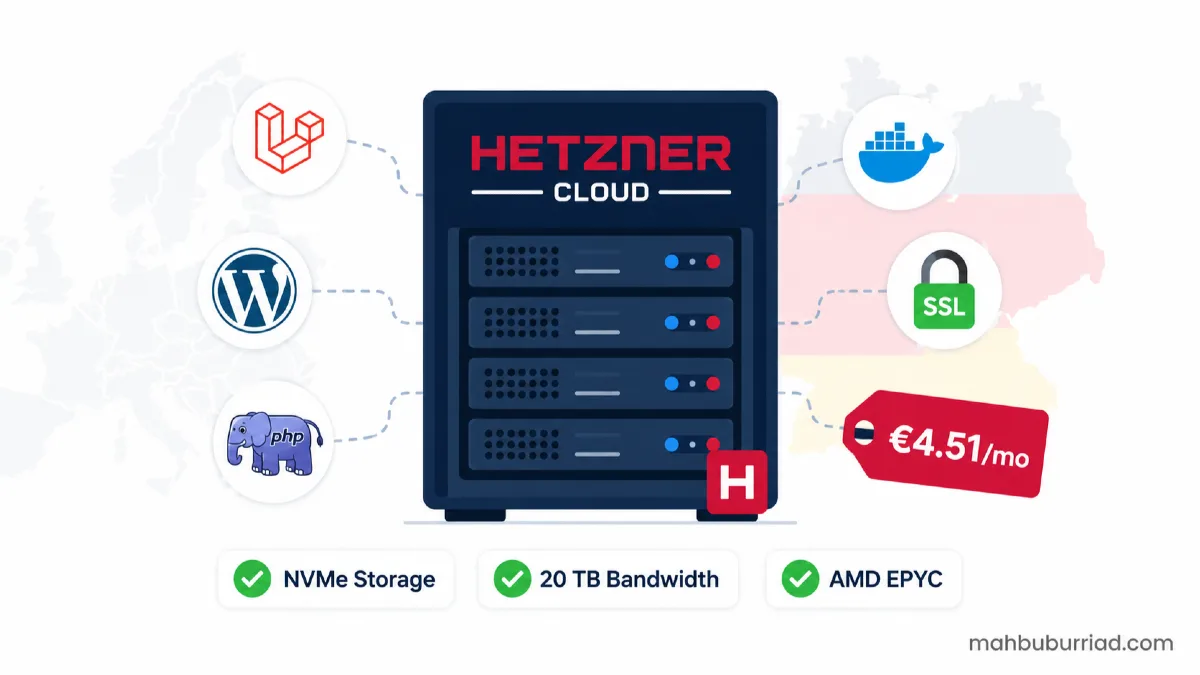
| CX22 | 2 (shared) | 4 GB | 40 GB NVMe | 20 TB | ~€4.51 |
| CX32 | 4 (shared) | 8 GB | 80 GB NVMe | 20 TB | ~€7.49 |
| CX42 | 8 (shared) | 16 GB | 160 GB NVMe | 20 TB | ~€14.99 |
| CCX13 | 2 (dedicated) | 8 GB | 80 GB NVMe | 20 TB | ~€16.99 |
The 20 TB bandwidth inclusion in EU regions is one of the clearest differentiators in the market. DigitalOcean and Vultr include 1–4 TB at comparable price points. For projects that transfer significant data — media sites, file hosting, video streaming — this alone makes Hetzner hard to beat in Europe.
US region pricing is similar per spec, but the included bandwidth drops to 1 TB, which is worth factoring into your total cost estimate if your audience is primarily in the Americas.
Performance
Hetzner's CX series uses AMD EPYC processors with NVMe RAID10 local storage. The storage performance is consistently strong in benchmarks. Network throughput within European regions is exceptional — intra-EU connectivity is one of Hetzner's genuine strengths.
CPU performance lands exactly where you would expect for shared vCPU plans. For web applications, Laravel projects, WordPress sites, APIs, and background queue workers, the performance is more than sufficient. Where EPYC processors trade off is single-thread clock speed — workloads that are heavily single-threaded (certain game servers, some compilation tasks) may feel that gap.
For standard developer workloads — Nginx, PHP-FPM, MySQL/MariaDB, Redis, Laravel queues, Docker containers — Hetzner Cloud performs well above its price point.
What Makes Hetzner Stand Out
Price-to-Specification Ratio
This is the headline reason. At equivalent specifications, Hetzner is routinely 40–60% cheaper than DigitalOcean, Linode (Akamai), and Vultr. For developers running multiple personal servers, side projects, or client sites on a budget, that margin compounds quickly.
20 TB Bandwidth in EU Regions
Most comparable providers include 1–4 TB of transfer at similar price points. For projects in Europe — or projects that serve European users — 20 TB eliminates bandwidth as a cost concern for most workloads.
European Data Residency
Hetzner operates under strict German and EU data protection standards. For projects with GDPR obligations or clients who require EU data residency, this is a meaningful assurance — not just a marketing line.
Clean, Functional Cloud Console
The Hetzner Cloud Console is straightforward. Server creation, SSH key management, snapshots, firewall rules, private networks, load balancers, and volume attachment are all handled cleanly. It lacks the polish of AWS or the ecosystem depth of GCP, but it is fast and does not bury basic operations under complexity.
Snapshots and Volumes
Snapshots are billed per GB and are genuinely useful for point-in-time backups before major changes. Hetzner Volumes (block storage) attach cleanly and are useful when your project outgrows the root disk without requiring a full server resize.
What Hetzner Does Not Offer
Being direct about the gaps matters:
- No managed databases — you manage your own MySQL, PostgreSQL, or Redis. AWS RDS, DigitalOcean Managed Databases, and similar have no Hetzner equivalent.
- No formal uptime SLA — Hetzner does not publish a percentage uptime guarantee the way AWS or GCP does. In practice, uptime has been reliable for most users, but it is worth acknowledging for compliance-sensitive projects.
- No managed Kubernetes — you can run k3s or full Kubernetes yourself, but there is no managed control plane.
- Smaller ecosystem — fewer one-click app templates, marketplace integrations, and pre-built images compared to DigitalOcean.
- Support response times — support is ticket-based and generally helpful, but response times are slower than premium managed providers.
Hetzner Cloud for WordPress
For WordPress hosting, Hetzner Cloud is an excellent choice when paired with a control panel. aaPanel, for example, installs in minutes and gives you a full Nginx + PHP + MariaDB stack with WordPress toolkit from a browser UI.
A CX22 (2 vCPU / 4 GB RAM) comfortably handles three to five mid-traffic WordPress sites with proper caching configured. The 20 TB bandwidth allowance means you are not watching transfer counters on image-heavy sites.
If you want a dedicated WordPress-friendly stack, OpenLiteSpeed via aaPanel on a Hetzner CX22 is one of the most cost-effective self-hosted WordPress setups available today.
Hetzner Cloud for Laravel
Laravel runs very well on Hetzner Cloud. The typical setup — Nginx, PHP 8.3, MariaDB, Redis, Supervisor for queues, and a cron entry for the scheduler — deploys cleanly and performs reliably.
What Hetzner does not abstract away: you still manage your server. Composer installs, Artisan migrations, queue configuration, SSL certificate renewal, and firewall rules are your responsibility. Pair it with aaPanel for the infrastructure layer and deploy via SSH or a Jenkins pipeline, and you have a solid, low-cost Laravel production environment.
For multi-tenant SaaS applications, Hetzner's private networking makes it straightforward to run a separate database server on the same private LAN without public exposure.
Hetzner vs DigitalOcean vs Vultr
| Feature | Hetzner | DigitalOcean | Vultr |
|---|---|---|---|
| Entry price | ~€4.51/mo | ~$6/mo | ~$6/mo |
| Included bandwidth (EU) | 20 TB | 1–2 TB | 1–2 TB |
| Storage type | NVMe RAID10 | NVMe | NVMe |
| Managed databases | ❌ No | ✅ Yes | ✅ Yes |
| Managed Kubernetes | ❌ No | ✅ Yes | ✅ Yes |
| Data centre locations | DE, FI, US | 15 global | 32 global |
| EU data residency | ✅ Yes | Partial | Partial |
| 1-click apps | Limited | Extensive | Moderate |
| Best for | Cost-focused developers | Managed services | Global reach |
DigitalOcean and Vultr make sense when you need managed databases, broader geographic coverage, or a richer ecosystem of integrations. Hetzner wins when raw performance per euro/dollar is the primary constraint and you are comfortable managing your own stack.
Pros and Cons
Pros
- Outstanding price-to-specification ratio in 2026 even after the price increase
- 20 TB bandwidth in EU regions — a genuine market differentiator
- AMD EPYC processors with NVMe RAID10 storage
- European data residency and GDPR-aligned infrastructure
- Clean Cloud Console with useful primitives (snapshots, volumes, private networks, firewalls)
- Reliable uptime in practice despite no formal SLA
- Strong developer community and documentation
Cons
- No managed databases, managed Kubernetes, or formal uptime SLA
- US region bandwidth drops to 1 TB — less competitive for US-focused workloads
- Smaller ecosystem compared to DigitalOcean or AWS
- Ticket-based support with slower response times for non-critical issues
- Can feel barebones for teams used to fully managed cloud environments
- There have been isolated account suspension reports in the community — worth reading their terms carefully
Who Should Use Hetzner Cloud?
Hetzner Cloud is an excellent fit for:
- Solo developers and freelancers running personal projects, client sites, and side products
- Laravel and PHP developers who manage their own deployment pipeline
- WordPress site owners looking for self-hosted alternatives to managed WordPress platforms
- Self-hosters running Gitea, Uptime Kuma, Nextcloud, Immich, or similar open-source tools
- European startups and small businesses with GDPR obligations
- Budget-conscious teams who need raw compute performance without managed service overhead
It is less suited for teams that need managed databases out of the box, require a global CDN edge network, need 99.99% SLA guarantees in writing, or are unfamiliar with Linux server administration.
Getting Started with Hetzner Cloud
- Create an account at hetzner.com/cloud
- Add a payment method (card or PayPal)
- Create a new project and provision a server — pick your region, OS (Ubuntu 24.04 LTS is a solid default), and plan
- Add your SSH key during creation
- SSH in and install aaPanel (or configure manually)
- Set up Nginx, PHP, and MariaDB via your panel or directly
- Configure your firewall — only expose ports 80, 443, and your SSH port
- Enable snapshots and set up a backup routine
A CX22 at roughly €4.51/month is a sensible starting point for most projects. You can resize upward without reprovisioning if your needs grow.
Final Recommendation
In 2026, Hetzner Cloud remains the reference point for price-per-specification in the VPS market. The April price increase raised entry costs slightly, but the value proposition — particularly for EU-based workloads with generous bandwidth — is still unmatched at this price tier.
If you are a developer, blogger, or small team managing your own servers and want maximum performance per euro without paying for managed services you do not need, Hetzner Cloud is the right choice. Pair it with aaPanel for a clean control panel experience and you have a capable, low-overhead hosting stack that rivals setups costing three to four times as much elsewhere.
It is not the right tool if you need managed databases, a global edge network, or enterprise support SLAs. But for the audience that just wants a fast, affordable server that does exactly what it says — Hetzner delivers.
Frequently Asked Questions
Is Hetzner Cloud reliable?
In practice, yes. Hetzner does not publish a formal uptime SLA, but the infrastructure is well-maintained and downtime events are infrequent. Production workloads run on Hetzner Cloud without issue for the majority of users.
Is Hetzner good for WordPress hosting?
Yes, especially when paired with a control panel like aaPanel. A CX22 handles multiple WordPress sites comfortably with caching configured. The 20 TB bandwidth allowance is particularly valuable for image-heavy WordPress sites.
Is Hetzner good for Laravel?
Yes. Nginx, PHP 8.3, MariaDB, Redis, and Supervisor all run well on Hetzner Cloud. You manage your own deployment, but the infrastructure performs reliably for Laravel applications of all sizes.
How does Hetzner compare to DigitalOcean?
Hetzner is significantly cheaper per specification and includes far more bandwidth in EU regions. DigitalOcean offers managed databases, managed Kubernetes, a larger app marketplace, and more global data centre locations. Choose based on whether you need managed services or raw cost efficiency.
Can I use Hetzner if I am outside Europe?
Yes. Hetzner has a US East (Ashburn) region, and many developers outside Europe use their EU regions for projects serving European users. Note that the US region includes 1 TB bandwidth rather than 20 TB.
Is Hetzner Cloud good for beginners?
It depends on your definition of beginner. The Cloud Console is straightforward, but Hetzner does not hold your hand on server administration. Pairing it with aaPanel makes the experience significantly more accessible for users who are not comfortable with raw Linux configuration.
Internal Link Suggestions
- aaPanel Review: Best Free VPS Control Panel for WordPress, PHP and Laravel
- Laravel API Client: Should You Fetch API Data in Blade or Through a Controller?
- How to Export a PDF File from Laravel Application Data