
On this page
Laravel Collections: A Practical Guide with Real-World Examples
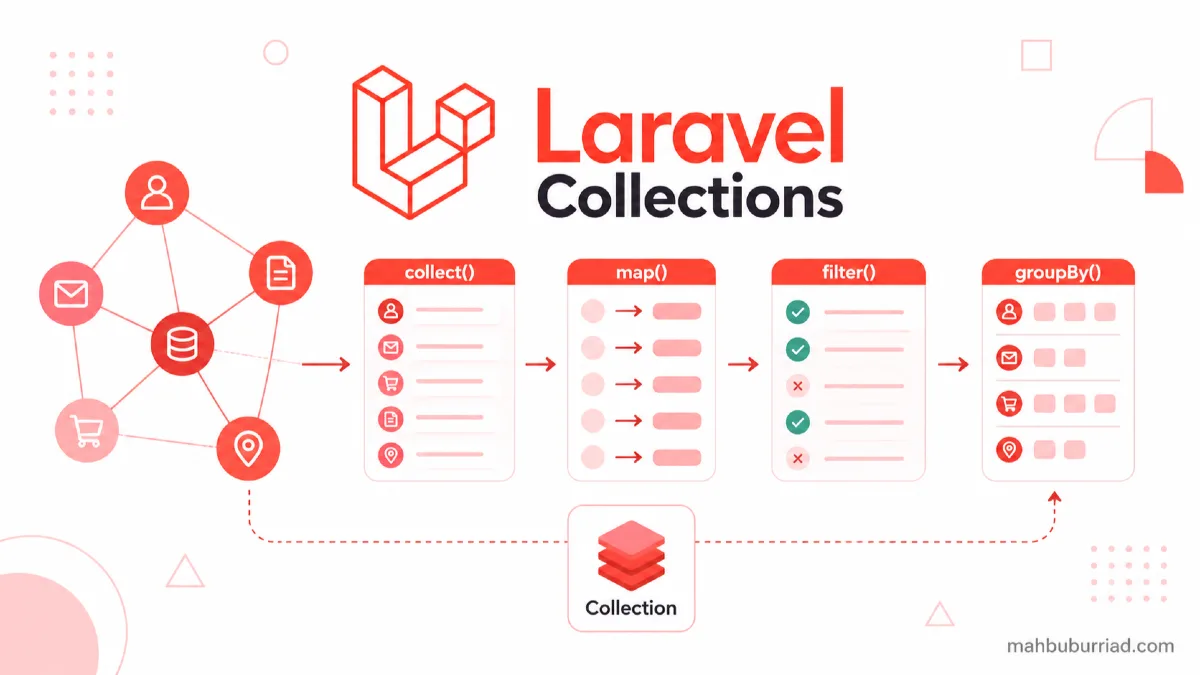
Collections are one of Laravel's most powerful features, yet many developers only scratch the surface of what they can do. In this guide, we'll explore practical use cases and advanced techniques that will transform how you work with arrays and datasets in Laravel.
What Are Laravel Collections?
Laravel Collections are a wrapper around PHP arrays that provide a fluent, convenient interface for working with data. They're essentially supercharged arrays with dozens of useful methods.
// Creating a collection
$users = collect([
    ['name' => 'John', 'role' => 'admin'],
    ['name' => 'Jane', 'role' => 'user'],
    ['name' => 'Bob', 'role' => 'admin']
]);
Essential Collection Methods
1. Filtering Data
Filtering is one of the most common operations. Here's how to filter admins:
$admins = $users->filter(function ($user) {
    return $user['role'] === 'admin';
});

// With arrow function (PHP 7.4+)
$admins = $users->filter(fn($user) => $user['role'] === 'admin');
2. Transforming Data
Use map() to transform collection items:
$names = $users->map(function ($user) {
    return $user['name'];
});
3. Grouping Data
Group users by their role:
$grouped = $users->groupBy('role');

/*
Result:
[
    'admin' => [
        ['name' => 'John', 'role' => 'admin'],
        ['name' => 'Bob', 'role' => 'admin']
    ],
    'user' => [
        ['name' => 'Jane', 'role' => 'user']
    ]
]
*/
Performance Considerations
Lazy Collections for Large Datasets
When working with large datasets, use Lazy Collections to minimize memory usage:
use Illuminate\Support\LazyCollection;

LazyCollection::make(function () {
    $handle = fopen("large-file.txt", 'r');

    while (($line = fgets($handle)) !== false) {
        yield $line;
    }
})->chunk(4)->map(function ($lines) {
    return array_map('strtoupper', $lines);
});
Collection Methods Comparison
| Method | Use Case | Returns |
|---|---|---|
filter() |
Filter items by condition | New collection of items that pass the test |
map() |
Transform each item | New collection of transformed items |
reduce() |
Reduce to a single value | Single value |
pluck() |
Extract values for a key | New collection of values |
groupBy() |
Group by a key | New collection grouped by the given key |
Real-World Example: E-commerce Order Processing
Let's process a set of orders:
$orders = collect([
    ['id' => 1, 'amount' => 100, 'status' => 'completed'],
    ['id' => 2, 'amount' => 200, 'status' => 'pending'],
    ['id' => 3, 'amount' => 150, 'status' => 'completed']
]);

// Get total completed orders amount
$totalCompleted = $orders
    ->where('status', 'completed')
    ->sum('amount'); // 250

// Get order IDs as string
$orderIds = $orders->pluck('id')->implode(','); // "1,2,3"
Advanced Techniques
Custom Collection Macros
Extend collections with your own methods:
use Illuminate\Support\Collection;

Collection::macro('toUpper', function () {
    return $this->map(function ($value) {
        return is_string($value) ? strtoupper($value) : $value;
    });
});

$collection = collect(['hello', 'world']);
$collection->toUpper(); // ['HELLO', 'WORLD']
Tap Into the Pipeline
Use the tap method to debug collections:
$result = collect([1, 2, 3])
    ->tap(function ($collection) {
        Log::debug('Before map', $collection->all());
    })
    ->map(function ($n) {
        return $n * 2;
    })
    ->tap(function ($collection) {
        Log::debug('After map', $collection->all());
    });
Performance Tips
- Chain methods instead of creating intermediate variables
- Use
lazy()for large datasets - Prefer
contains()overfilter()->count()for existence checks - Use
when()for conditional operations
Common Pitfalls
1. Overusing Collections
Don't use collections for everything. Simple array operations are often more efficient:
// Instead of
$first = collect($array)->first();

// Use
$first = $array[0] ?? null;
2. Forgetting to Convert Back to Array
When passing to views, remember to convert if needed:
// In controller
return view('users', ['users' => $users->toArray()]);
FAQ
Q: When should I use Collections over plain arrays?
A: Use Collections when you need to perform multiple operations on the data or use any of the convenient methods they provide.
Q: Are Collections slower than arrays?
A: For simple operations on small datasets, arrays are faster. For complex operations or large datasets, Collections can be more efficient due to method chaining.
Q: Can I use Collection methods on Eloquent results?
A: Yes! Eloquent returns Collection instances, so all Collection methods are available.
Q: How do I sort a Collection by multiple columns?
A: Use the sortBy method with an array of keys:
$sorted = $collection->sortBy([
    'last_name',
    'first_name'
]);
Q: What's the difference between map() and each()?
A: map() returns a new collection with transformed values, while each() is for performing side effects and returns the original collection.
Conclusion
Laravel Collections provide an incredibly powerful way to work with data in your applications. By mastering these techniques, you'll write cleaner, more efficient code. Remember to consider performance implications and choose the right tool for each situation.
For more Laravel tips and tutorials, visit mahbuburriad.com where I share my experiences and insights from real-world projects.